School Globe Laser Cut Template: Strategic Design for Educational and Creative Projects
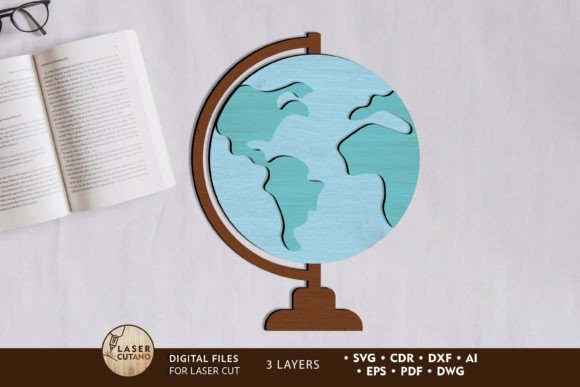
The School Globe Laser Cut Template is a versatile digital multilayer layout file designed specifically for use with laser cutters, CNC routers, and other precision cutting machines. This template provides an efficient way to create high-quality, custom educational models or decorative pieces that align with back-to-school themes. Whether you're an educator, a creative professional, or a hobbyist, this resource offers a strategic foundation for producing engaging and durable designs.
Strategic Use of the School Globe Laser Cut Template
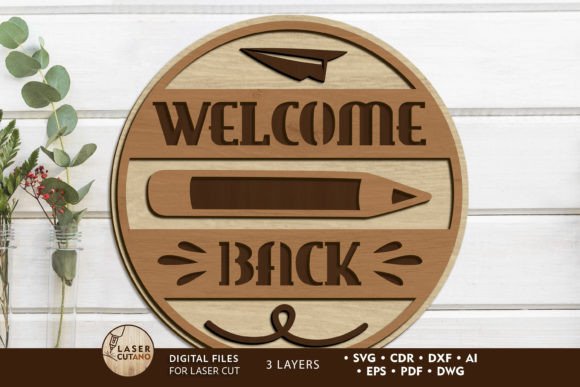
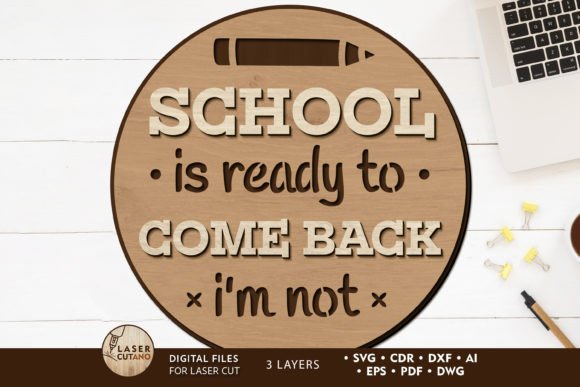
When considering the School Globe Laser Cut Template, it's important to think about how it can support your specific goals. This template isn't just a design file—it’s a tool that can be integrated into various projects such as classroom decorations, marketing materials, or even branded merchandise. Its multilayer structure allows for intricate details and layered components, which can enhance the visual appeal and functionality of your final product.
For educators, this template could serve as a valuable asset in creating interactive learning tools. For instance, a 3D globe model made using this template can help students visualize geography concepts more effectively. Similarly, businesses looking to promote their back-to-school initiatives might use this template to produce eye-catching signage or promotional items that resonate with parents and students alike.
Planning and Positioning Your Project
Before diving into the creation process, it's crucial to define the purpose of your project. Are you aiming to educate, decorate, or market? Each objective requires a different approach when utilizing the School Globe Laser Cut Template. If your goal is educational, focus on accuracy and clarity in the design. If it's for decoration, prioritize aesthetics and durability.
Additionally, consider the materials you'll be using. The template recommends plywood, MDF, acrylic, or plexiglas with a thickness of 3mm. These materials are chosen for their balance between strength and workability. It's also worth noting that while you can scale up the design, reducing its size should be done carefully to avoid compromising thin elements.
How to Approach the School Globe Laser Cut Template
Once you've downloaded the .zip file containing the School Globe Laser Cut Template, you’ll have access to multiple file formats including .AI, .SVG, .DXF, .DWG, .CDR, .EPS, and .PDF. This flexibility ensures compatibility with a wide range of design and cutting software, allowing you to tailor the template to your specific needs.
Begin by unzipping the folder and reviewing the contents. Each layer of the multilayer model is meant to be glued together after painting. This step-by-step process ensures that the final product maintains structural integrity and visual consistency. Painting before gluing is essential to prevent any color bleeding or distortion during the assembly phase.
Consider investing time in planning your design layout. Think about how each component will fit together and what colors or finishes would best suit your intended use. A well-planned design not only looks better but also functions more effectively in its intended environment.
Practical Examples and Use Cases
Let’s explore some practical examples of how the School Globe Laser Cut Template can be used:
- Educational Tools: Create a detailed globe model for classrooms to teach geography and world cultures.
- Marketing Materials: Produce back-to-school themed displays or signage for retail stores or educational institutions.
- Custom Decorations: Design unique wall art or centerpieces for events, parties, or home decor.
- Branded Merchandise: Develop personalized items like keychains, magnets, or desk accessories featuring your brand’s logo or message.
Each of these applications highlights the versatility of the template. By aligning your project with a clear objective, you can maximize the value of this resource.
Risks and Considerations
While the School Globe Laser Cut Template is a powerful tool, it's important to recognize potential risks associated with its use. One common pitfall is relying on the template without clearly defining your goals or context. Without a strategic plan, you may end up with a design that doesn’t meet your expectations or serve its intended purpose.
Another consideration is the need for proper equipment and skills. Using a laser cutter or CNC router requires some technical knowledge and safety precautions. If you're new to these tools, take the time to familiarize yourself with their operation and maintenance procedures.
Finally, always ensure that the materials you choose are suitable for your design and application. While the recommended thickness is 3mm, experimenting with different materials can yield interesting results—but it’s important to understand the limitations and capabilities of each material before proceeding.
Intentional Use for Long-Term Results
To get the most out of the School Globe Laser Cut Template, approach it with intention and strategy. Begin by identifying your target audience and what they expect from your project. Then, align your design choices with those expectations. Whether you're creating something for educational purposes or marketing, every decision should contribute to a cohesive and meaningful outcome.
By integrating this template into your workflow thoughtfully, you can achieve better results, streamline your processes, and create products that stand out in both quality and creativity. This intentional approach not only enhances your current project but also builds a foundation for future endeavors.